×
ToyotaParts- Hello
- Login or Register
- Quick Links
- Live Chat
- Track Order
- Parts Availability
- RMA
- Help Center
- Contact Us
- Shop for
- Toyota Parts
- Scion Parts
My Garage
My Account
Cart
OEM 2009 Toyota Highlander Air Bag Sensor
Air Bag Impact Sensor- Select Vehicle by Model
- Select Vehicle by VIN
Select Vehicle by Model
orMake
Model
Year
Select Vehicle by VIN
For the most accurate results, select vehicle by your VIN (Vehicle Identification Number).
5 Air Bag Sensors found

2009 Toyota Highlander Sensor Assembly, Side Air Bag, Passenger Side, Center
Part Number: 89831-0R010$98.34 MSRP: $118.58You Save: $20.24 (18%)Ships in 1-3 Business DaysProduct Specifications- Other Name: Sensor, Side Air Bag; Sensor Assembly, Side Air Bag, Driver Side; Air Bag Sensor
- Position: Center
- Replaces: 89831-28020, 89831-0T030
- Item Weight: 0.60 Pounds
- Item Dimensions: 4.5 x 2.7 x 2.2 inches
- Condition: New
- Fitment Type: Direct Replacement
- SKU: 89831-0R010
- Warranty: This genuine part is guaranteed by Toyota's factory warranty.

2009 Toyota Highlander Front Impact Sensor
Part Number: 89173-39375$94.20 MSRP: $113.57You Save: $19.37 (18%)Ships in 1-3 Business DaysProduct Specifications- Other Name: Sensor, Air Bag, Front; Air Bag Impact Sensor, Front; Air Bag Sensor; Front Sensor; Sensor, Air Bag, Front Passenger Side; Sensor, Air Bag, Front Driver Side
- Position: Front
- Item Weight: 1.40 Pounds
- Item Dimensions: 4.7 x 2.9 x 2.4 inches
- Condition: New
- Fitment Type: Direct Replacement
- SKU: 89173-39375
- Warranty: This genuine part is guaranteed by Toyota's factory warranty.

2009 Toyota Highlander Side Impact Sensor, Rear
Part Number: 89831-48010$120.66 MSRP: $170.81You Save: $50.15 (30%)Ships in 1-3 Business DaysProduct Specifications- Other Name: Sensor, Side Air Bag; Air Bag Impact Sensor, Rear; Air Bag Sensor; Side Sensor; Sensor, Air Bag, Rear Passenger Side; Sensor, Air Bag, Rear Driver Side
- Position: Rear
- Item Weight: 0.60 Pounds
- Item Dimensions: 4.3 x 2.6 x 2.0 inches
- Condition: New
- Fitment Type: Direct Replacement
- SKU: 89831-48010
- Warranty: This genuine part is guaranteed by Toyota's factory warranty.

2009 Toyota Highlander Position Sensor, Front Driver Side
Part Number: 89178-33050$89.81 MSRP: $126.06You Save: $36.25 (29%)Ships in 1-2 Business DaysProduct Specifications- Other Name: Sensor, Seat Position; Air Bag Seat Sensor Mat, Front Left; Seat Track Position Sensor, Left; Occupant Sensor; Passenger Discriminating Sensor; Discriminating Sensor; Sensor; Sensor, Seat Position Air Bag
- Position: Front Driver Side
- Part Name Code: 89178A
- Item Weight: 0.50 Pounds
- Item Dimensions: 2.1 x 1.6 x 1.3 inches
- Condition: New
- Fitment Type: Direct Replacement
- SKU: 89178-33050
- Warranty: This genuine part is guaranteed by Toyota's factory warranty.
2009 Toyota Highlander Position Sensor, Driver Side
Part Number: 89178-33040$80.57 MSRP: $113.09You Save: $32.52 (29%)Ships in 1-3 Business DaysProduct Specifications- Other Name: Sensor, Seat Position; Seat Track Position Sensor, Left; Sensor, Seat Position Air Bag
- Position: Driver Side
- Part Name Code: 89178A
- Item Weight: 0.50 Pounds
- Item Dimensions: 2.1 x 1.5 x 1.4 inches
- Condition: New
- Fitment Type: Direct Replacement
- SKU: 89178-33040
- Warranty: This genuine part is guaranteed by Toyota's factory warranty.
2009 Toyota Highlander Air Bag Sensor
Looking for affordable OEM 2009 Toyota Highlander Air Bag Sensor? Explore our comprehensive catalogue of genuine 2009 Toyota Highlander Air Bag Sensor. All our parts are covered by the manufacturer's warranty. Plus, our straightforward return policy and speedy delivery service ensure an unparalleled shopping experience. We look forward to your visit!
2009 Toyota Highlander Air Bag Sensor Parts Q&A
- Q: How to Remove the Air Bag Sensor Safely on 2009 Toyota Highlander?A: The process of taking out the rear Air Bag sensor begins with reading all bulletin safety instructions before moving toward service. Place the cable over the negative battery terminal then wait for at least 90 seconds to avoid deploying Air Bags before reconnecting the cable. After the reconnection some systems require system initialization. Start by taking out the rear door scuff plate before removing the rear door opening trim Weather Strip and stripping the deck board assembly then proceeding to take off the No. 3 deck board sub-assembly as well as the No. 2 deck board sub-assembly and the tonneau cover assembly (if equipped), the rear No. 1 floor board (without rear No. 2 seat) together with the rear seat side cover LH (if equipped) and the deck side trim box LH. Continue by removing the rear seat side cover RH (if equipped), jack carrier support, jack carrier cushion, jack assembly, jack carrier assembly, deck side trim box RH, rear mat, deck floor board assembly (without rear No. 2 seat), deck floor board assembly (with rear No. 2 seat), rear deck floor box (without rear No. 2 seat), No. 1 deck board (without rear No. 2 seat), No. 1 deck board (with rear No. 2 seat), rear No. 2 seat inner belt assembly (if equipped), and disconnecting the rear seat lap type belt assembly LH and RH (if equipped). Remove the rear No. 2 seat assembly (if equipped), rear floor finish plate, rear seat side garnish cap (for RH side without rear air conditioning system), rear seat side garnish cap (for RH side with rear air conditioning system), deck side trim cover, deck side trim, side trim cover LH (for LH side without rear seat entertainment system), power outlet socket bezel (for LH side with rear seat entertainment system), side trim cover RH (for RH side without rear automatic air conditioning system), rear room temperature sensor (for RH side with rear automatic air conditioning system), rear combination light service cover LH (for LH side), rear combination light service cover RH (for RH side), rear power point socket assembly (for LH side), rear power outlet socket cover (for LH side), rear deck trim cover (for LH side without remote folding function), reclining remote control bezel (for LH side with remote folding function), rope hook assembly, No. 2 deck side trim hook (for LH side), No. 1 luggage compartment trim hook (for RH side), front deck side trim cover, disconnect the rear No. 1 seat outer belt assembly, remove the deck trim side panel assembly LH (for LH side), and remove the deck trim side panel assembly RH (for RH side). Follow by disconnecting the connector from the rear Air Bag sensor while paying attention to avoid harming the Air Bag wire harness before removing the bolt to disengage the pin that extracts the rear Air Bag sensor which requires holding the sensor throughout the bolt removal process to prevent stopping the sensor pin from breaking.
Related 2009 Toyota Highlander Parts
 2009 Toyota Highlander Fuse Box
 2009 Toyota Highlander Oxygen Sensor
 2009 Toyota Highlander Brake Light Switch
 2009 Toyota Highlander Air Bag
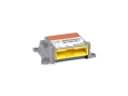 2009 Toyota Highlander Air Bag Control Module
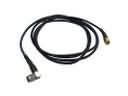 2009 Toyota Highlander Antenna Cable
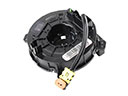 2009 Toyota Highlander Clock Spring
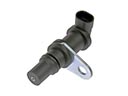 2009 Toyota Highlander Crankshaft Position Sensor
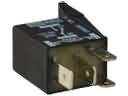 2009 Toyota Highlander Headlight Relay
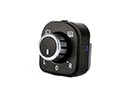 2009 Toyota Highlander Mirror Switch
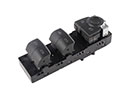 2009 Toyota Highlander Power Window Switch
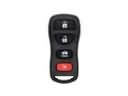 2009 Toyota Highlander Transmitter